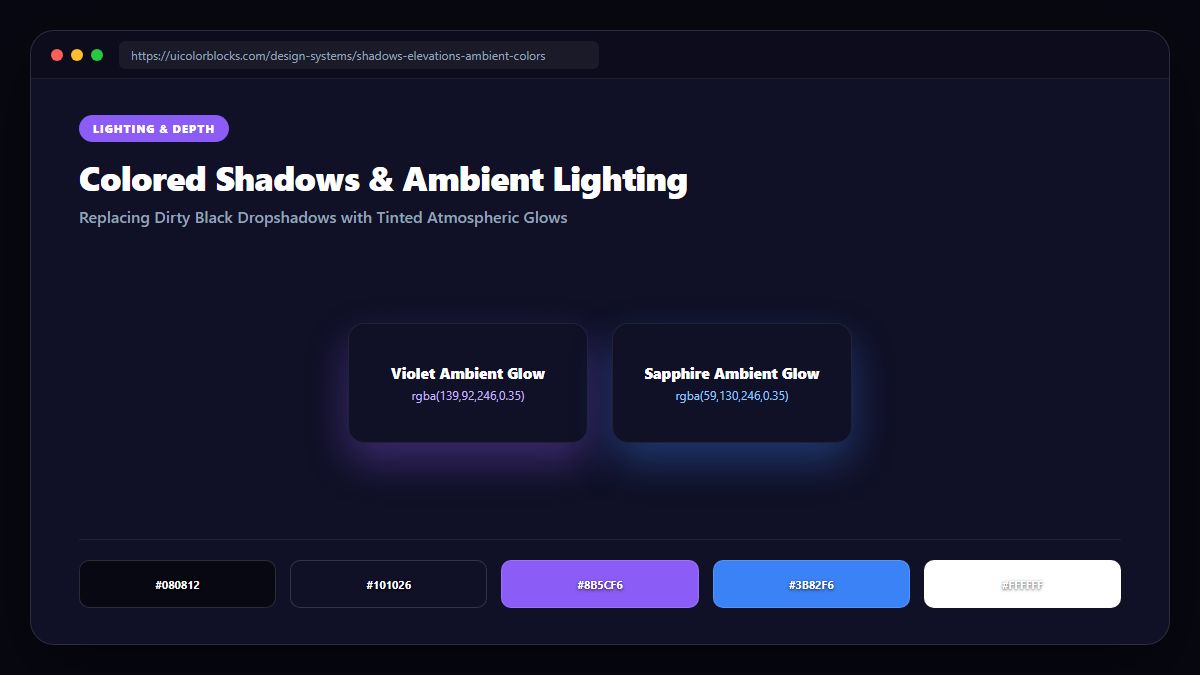
1. Why Flat Black Shadows Flatten Digital Interfaces
Setting box-shadow: 0 10px 20px rgba(0, 0, 0, 0.4) over vibrant colorful cards produces a dirty, bruised effect around the perimeter. By infusing the shadow with the component’s own primary hue, the card appears to float above the surface and emit realistic light.
/* Flat vs. Tinted Ambient Shadows */
.card-flat {
  /* Muddy, unnatural black shadow */
  box-shadow: 0 12px 30px rgba(0, 0, 0, 0.35);
}

.card-ambient {
  /* Realistic tinted ambient elevation */
  box-shadow: 0 12px 30px rgba(99, 102, 241, 0.25),
              0 4px 10px rgba(99, 102, 241, 0.15);
}
2. The Multi-Layered Elevation Technique in CSS
Natural light sources produce both sharp contact shadows and soft ambient falloffs. To simulate high-end physical elevation in CSS, stack two shadow layers: a sharp contact layer with low blur, and an expansive ambient layer with high blur and low opacity.
| Layer | Y-Offset & Blur | Alpha Channel | Physical Purpose |
|---|---|---|---|
| Contact Shadow | 0 2px 6px | rgba(15, 23, 42, 0.18) | Anchors card directly to surface |
| Ambient Glow | 0 16px 36px | rgba(99, 102, 241, 0.22) | Simulates atmospheric light bounce |
| Hover Expansion | 0 24px 60px | rgba(99, 102, 241, 0.35) | Visual elevation on cursor hover |
3. Dark Mode Colored Shadows: Switching to Specular Borders
On dark backgrounds (#080810), dark drop shadows become invisible. In dark mode, depth is communicated through top border specular highlights (border-top: 1px solid rgba(255,255,255,0.15)) and subtle ambient backglows.
4. Summary Best Practices for Ambient Depth
Keep shadow saturation under 30% to prevent cartoonish effects. Explore multi-layered elevation tokens in our Palette Studio.
5. Implementation Blueprint & Token Architecture
Translating theoretical color principles into production code requires consistent design token binding. When engineers hardcode ad-hoc hexadecimal values directly inside component CSS classes, theme parity breaks down and maintaining accessibility becomes an ongoing liability. By adopting disciplined semantic variables, your frontend application can swap themes, adapt to high-contrast operating system preferences, and enforce strict accessibility thresholds across every viewport.
When architecting your color tokens, establish an invariant rule: UI components must consume semantic tokens rather than raw primitives. This abstraction layer ensures that updating your brand identity or adjusting dark mode surface elevations requires changing values in a single centralized design token stylesheet rather than executing search-and-replace across thousands of individual CSS or JSX files.
/* Centralized Design Token Integration Blueprint */
:root {
  --color-canvas-base: #f8fafc;
  --color-surface-card: #ffffff;
  --color-border-subtle: rgba(0, 0, 0, 0.08);
  --color-text-primary: #0f172a;
  --color-text-muted: #64748b;
  --color-interactive-primary: var(--brand-500);
  --color-interactive-hover: var(--brand-600);
}

[data-theme="dark"] {
  --color-canvas-base: #080810;
  --color-surface-card: #16162a;
  --color-border-subtle: rgba(255, 255, 255, 0.08);
  --color-text-primary: #f0f0fa;
  --color-text-muted: #a0a0c0;
  --color-interactive-primary: var(--brand-400);
  --color-interactive-hover: var(--brand-500);
}
For frontend engineering teams using modern utility-first CSS frameworks like Tailwind CSS, export your verified semantic tokens directly into your tailwind.config.js file. This creates autocompleted utility classes such as bg-surface-card and text-interactive-primary, ensuring developers build accessible, harmonious interfaces without leaving their editor.
Put These Tokens into Practice
Explore our interactive design tools to test contrast ratios, generate 50–950 shade steps, or discover harmonious color palettes.