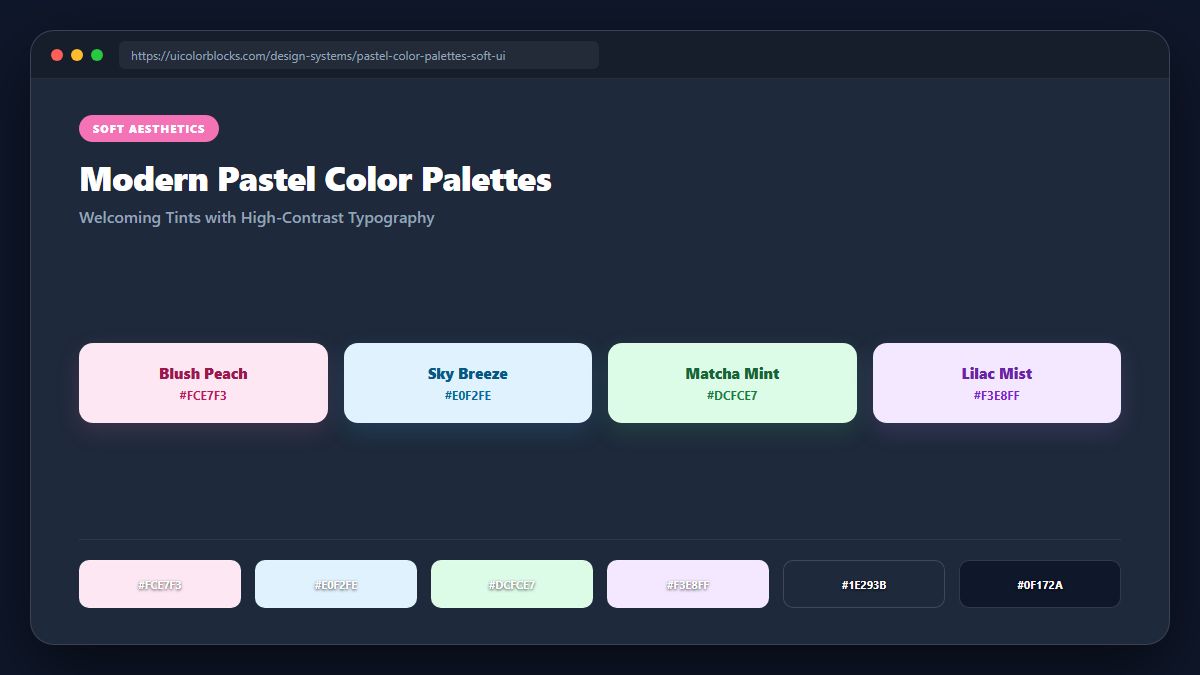
1. What Makes a "Modern" Pastel? Saturation and High Lightness
Traditional pastels often felt washed out and chalky. Modern digital pastels maintain high lightness (85% to 92%) while preserving vibrant, tailored chromatic saturation (60% to 80%). This produces creamy, luminous hues that feel fresh, digital, and premium.
/* Modern Luminous Pastel Tokens */
:root {
  --pastel-rose:    #fce7f3;   /* Soft strawberry tint */
  --pastel-lavender:#ede9fe;   /* Calming purple haze */
  --pastel-mint:    #d1fae5;   /* Crisp fresh mint */
  --pastel-butter:  #fef3c7;   /* Warm soft sunlight */
  --pastel-sky:     #e0f2fe;   /* Clean cloudless blue */
  --pastel-text:    #1e1b4b;   /* Deep indigo for sharp contrast */
}
2. The Pastel Contrast Trap: Never Use Pastels for Body Text
The number one accessibility violation in pastel UI design is setting text in light pink or baby blue. Pastels belong strictly on background cards, badge pills, and decorative avatars. Text sitting over pastels must utilize deep charcoal or ink indigo to meet WCAG AA requirements.
| Pastel Background | Invalid Text Color | Accessible Text Color | Verified Contrast |
|---|---|---|---|
| Soft Rose (#fce7f3) | #f472b6 (1.8:1 FAIL) | #831843 (9.8:1 AAA) | Passes Level AAA |
| Lavender (#ede9fe) | #a78bfa (2.1:1 FAIL) | #4c1d95 (10.2:1 AAA) | Passes Level AAA |
| Mint Tint (#d1fae5) | #34d399 (1.6:1 FAIL) | #064e3b (11.1:1 AAA) | Passes Level AAA |
3. High-Contrast Anchors: The Role of Deep Ink Accents
Pastel compositions require deep anchor weights to prevent the layout from floating away. Anchoring pastel cards with crisp dark navigation bars (#1e1b4b) or bold black buttons grounds the visual hierarchy and delivers a sophisticated designer feel.
4. Summary Recommendations for Pastel Themes
Use pastels as soft background containers, never as typography. Pair each pastel tint with an accessible 900-level text counterpart from our 100k Colors Matrix.
5. Implementation Blueprint & Token Architecture
Translating theoretical color principles into production code requires consistent design token binding. When engineers hardcode ad-hoc hexadecimal values directly inside component CSS classes, theme parity breaks down and maintaining accessibility becomes an ongoing liability. By adopting disciplined semantic variables, your frontend application can swap themes, adapt to high-contrast operating system preferences, and enforce strict accessibility thresholds across every viewport.
When architecting your color tokens, establish an invariant rule: UI components must consume semantic tokens rather than raw primitives. This abstraction layer ensures that updating your brand identity or adjusting dark mode surface elevations requires changing values in a single centralized design token stylesheet rather than executing search-and-replace across thousands of individual CSS or JSX files.
/* Centralized Design Token Integration Blueprint */
:root {
  --color-canvas-base: #f8fafc;
  --color-surface-card: #ffffff;
  --color-border-subtle: rgba(0, 0, 0, 0.08);
  --color-text-primary: #0f172a;
  --color-text-muted: #64748b;
  --color-interactive-primary: var(--brand-500);
  --color-interactive-hover: var(--brand-600);
}

[data-theme="dark"] {
  --color-canvas-base: #080810;
  --color-surface-card: #16162a;
  --color-border-subtle: rgba(255, 255, 255, 0.08);
  --color-text-primary: #f0f0fa;
  --color-text-muted: #a0a0c0;
  --color-interactive-primary: var(--brand-400);
  --color-interactive-hover: var(--brand-500);
}
For frontend engineering teams using modern utility-first CSS frameworks like Tailwind CSS, export your verified semantic tokens directly into your tailwind.config.js file. This creates autocompleted utility classes such as bg-surface-card and text-interactive-primary, ensuring developers build accessible, harmonious interfaces without leaving their editor.
Put These Tokens into Practice
Explore our interactive design tools to test contrast ratios, generate 50–950 shade steps, or discover harmonious color palettes.