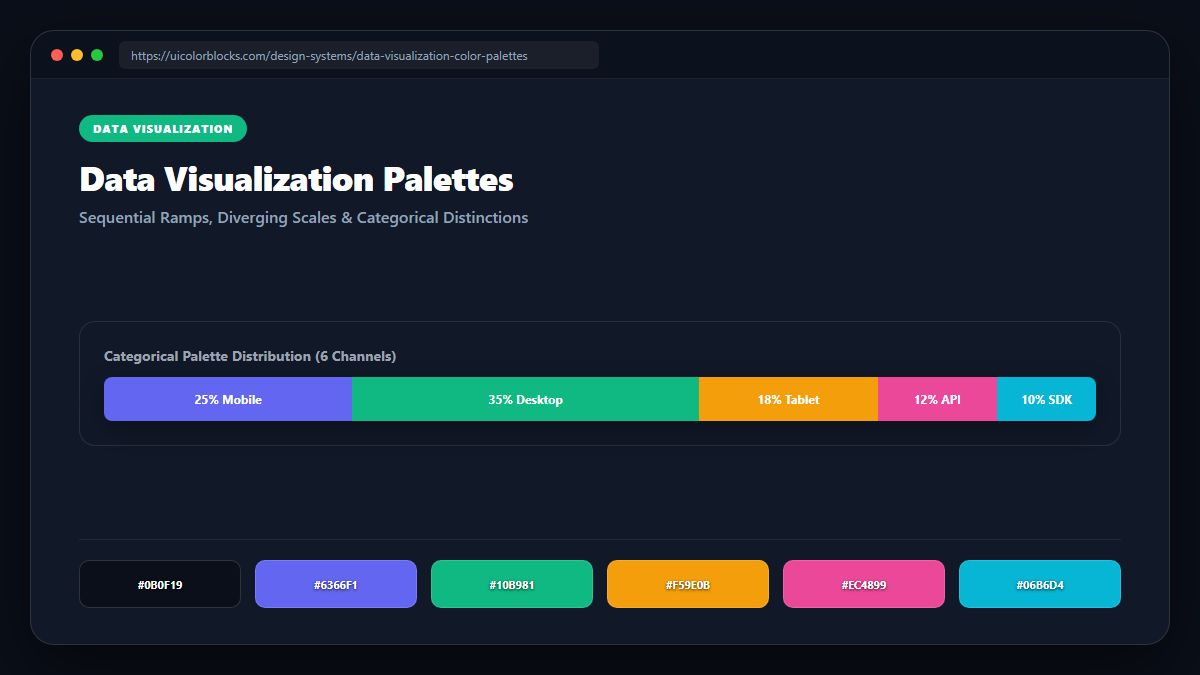
1. Categorical Palettes: Maximum Perceptual Distance
Categorical charts (like multi-line graphs or grouped bars) require hues that can be distinguished at a glance. You cannot use 10 subtle shades of blue. You must select hues with equal perceptual lightness that are spaced at least 35° apart on the color spectrum.
/* Accessible 6-Series Categorical Palette */
const CHART_CATEGORICAL = [
  '#3b82f6', /* Blue: Primary Series */
  '#10b981', /* Emerald: Second Series */
  '#f59e0b', /* Amber: Third Series */
  '#8b5cf6', /* Violet: Fourth Series */
  '#ec4899', /* Pink: Fifth Series */
  '#06b6d4'  /* Cyan: Sixth Series */
];
2. Sequential Palettes: Monotonic Lightness Gradients
Sequential palettes represent numerical rank or density (like population density heatmaps). The human brain interprets darker or more saturated colors as "more" and lighter colors as "less". A sequential scale must have a strictly monotonic lightness progression from step 1 to step 9.
| Step | Lightness (L*) | Chroma (C*) | Visual Meaning |
|---|---|---|---|
| Step 1 | 95% L | 10 C | Lowest metric value (0% - 10%) |
| Step 5 | 60% L | 55 C | Median performance threshold (50%) |
| Step 9 | 25% L | 85 C | Peak maximum intensity (90% - 100%) |
3. Diverging Palettes: Clear Midpoints and Symmetrical Tension
Diverging palettes highlight variance above and below a meaningful baseline (such as corporate budget variance or temperature anomaly). The neutral midpoint must be calm and low-saturation (#e2e8f0 or #334155), while both extremes expand outward symmetrically.
4. Summary Rules for Data Chart Accessibility
Never present more than 7 categorical series in a single chart without interactive filtering. Verify your chart scales in both light and dark modes with our Contrast Checker.
5. Implementation Blueprint & Token Architecture
Translating theoretical color principles into production code requires consistent design token binding. When engineers hardcode ad-hoc hexadecimal values directly inside component CSS classes, theme parity breaks down and maintaining accessibility becomes an ongoing liability. By adopting disciplined semantic variables, your frontend application can swap themes, adapt to high-contrast operating system preferences, and enforce strict accessibility thresholds across every viewport.
When architecting your color tokens, establish an invariant rule: UI components must consume semantic tokens rather than raw primitives. This abstraction layer ensures that updating your brand identity or adjusting dark mode surface elevations requires changing values in a single centralized design token stylesheet rather than executing search-and-replace across thousands of individual CSS or JSX files.
/* Centralized Design Token Integration Blueprint */
:root {
  --color-canvas-base: #f8fafc;
  --color-surface-card: #ffffff;
  --color-border-subtle: rgba(0, 0, 0, 0.08);
  --color-text-primary: #0f172a;
  --color-text-muted: #64748b;
  --color-interactive-primary: var(--brand-500);
  --color-interactive-hover: var(--brand-600);
}

[data-theme="dark"] {
  --color-canvas-base: #080810;
  --color-surface-card: #16162a;
  --color-border-subtle: rgba(255, 255, 255, 0.08);
  --color-text-primary: #f0f0fa;
  --color-text-muted: #a0a0c0;
  --color-interactive-primary: var(--brand-400);
  --color-interactive-hover: var(--brand-500);
}
For frontend engineering teams using modern utility-first CSS frameworks like Tailwind CSS, export your verified semantic tokens directly into your tailwind.config.js file. This creates autocompleted utility classes such as bg-surface-card and text-interactive-primary, ensuring developers build accessible, harmonious interfaces without leaving their editor.
Put These Tokens into Practice
Explore our interactive design tools to test contrast ratios, generate 50–950 shade steps, or discover harmonious color palettes.