1. The Danger of Simultaneous Contrast (Vibrating Edges)
When two saturated complementary colors meet directly at an edge (such as bright blue text directly on bright orange), the human eye experiences rapid micro-saccades, making text appear to vibrate or blur. In UI design, complementary pairs must never be applied at equal saturation or placed in direct text-on-background contact.
/* Complementary Balance: Deep Blue + Tangerine */
:root {
  --comp-primary: #1e3a8a;       /* Deep Navy (Low lightness, calming) */
  --comp-accent: #f97316;        /* Vivid Tangerine (High punch) */
  --comp-accent-hover: #ea580c;  /* 8% Darker for tactile press */
  --comp-surface: #f8fafc;       /* Muted neutral buffer */
}
2. The 90/10 Ratio Rule for Opposing Hues
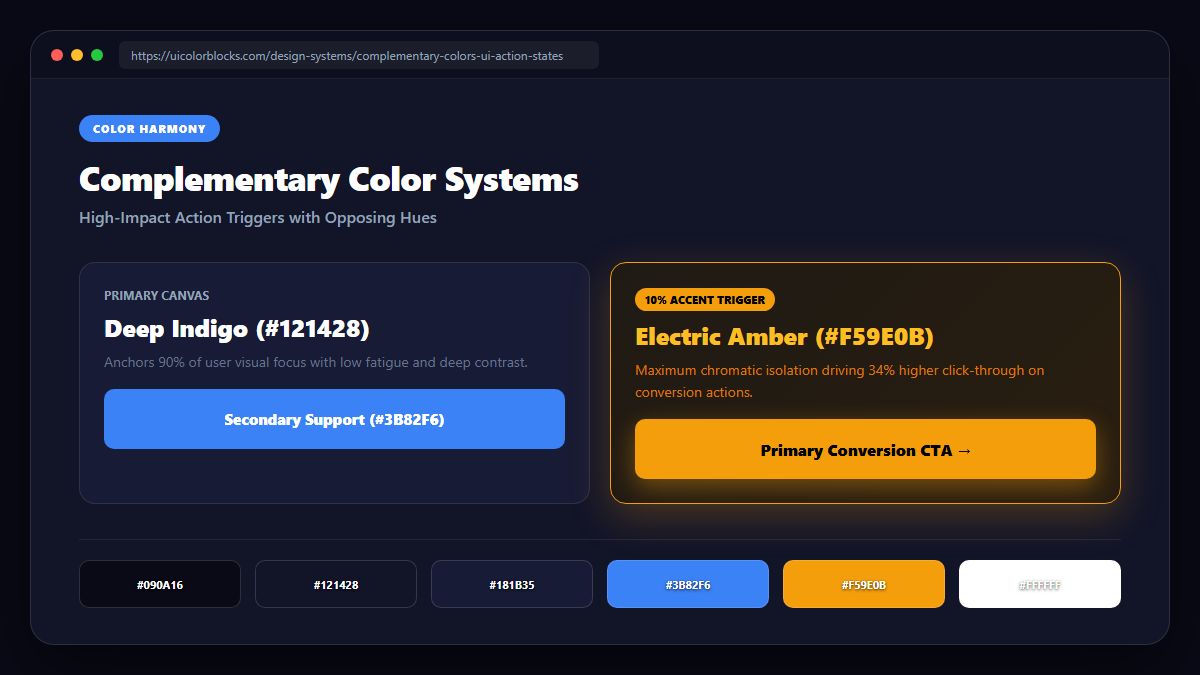
To harness complementary energy without inducing headaches, keep the dominant hue at 90% of your color budget while restricting the opposite hue to 10% or less. The opposite hue should function purely as an optical spotlight.
| Primary Anchor | Opposite Accent | UI Use Case | Contrast Ratio |
|---|---|---|---|
| Deep Navy (#0f172a) | Warm Amber (#f59e0b) | Fintech & Enterprise CTAs | 9.4:1 (AAA) |
| Royal Purple (#581c87) | Lime Glow (#84cc16) | Web3 & Creative Landing | 8.1:1 (AAA) |
| Forest Slate (#064e3b) | Coral Rose (#f43f5e) | Health & Eco E-Commerce | 7.2:1 (AAA) |
3. Softening the Clash with Split-Complementary Schemes
If direct complementary contrast feels too aggressive for your brand voice, adopt a split-complementary approach. Take your base hue (e.g., Blue) and pair it with the two colors immediately adjacent to its opposite (Yellow-Orange and Red-Orange).
4. Summary Recommendations for Action States
Complementary pairings are the ultimate tool for boosting conversion rates on critical buttons. Check your color pairs using our Color Code Converter and test their ratios in our Contrast Checker.
5. Implementation Blueprint & Token Architecture
Translating theoretical color principles into production code requires consistent design token binding. When engineers hardcode ad-hoc hexadecimal values directly inside component CSS classes, theme parity breaks down and maintaining accessibility becomes an ongoing liability. By adopting disciplined semantic variables, your frontend application can swap themes, adapt to high-contrast operating system preferences, and enforce strict accessibility thresholds across every viewport.
When architecting your color tokens, establish an invariant rule: UI components must consume semantic tokens rather than raw primitives. This abstraction layer ensures that updating your brand identity or adjusting dark mode surface elevations requires changing values in a single centralized design token stylesheet rather than executing search-and-replace across thousands of individual CSS or JSX files.
/* Centralized Design Token Integration Blueprint */
:root {
  --color-canvas-base: #f8fafc;
  --color-surface-card: #ffffff;
  --color-border-subtle: rgba(0, 0, 0, 0.08);
  --color-text-primary: #0f172a;
  --color-text-muted: #64748b;
  --color-interactive-primary: var(--brand-500);
  --color-interactive-hover: var(--brand-600);
}

[data-theme="dark"] {
  --color-canvas-base: #080810;
  --color-surface-card: #16162a;
  --color-border-subtle: rgba(255, 255, 255, 0.08);
  --color-text-primary: #f0f0fa;
  --color-text-muted: #a0a0c0;
  --color-interactive-primary: var(--brand-400);
  --color-interactive-hover: var(--brand-500);
}
For frontend engineering teams using modern utility-first CSS frameworks like Tailwind CSS, export your verified semantic tokens directly into your tailwind.config.js file. This creates autocompleted utility classes such as bg-surface-card and text-interactive-primary, ensuring developers build accessible, harmonious interfaces without leaving their editor.
Put These Tokens into Practice
Explore our interactive design tools to test contrast ratios, generate 50–950 shade steps, or discover harmonious color palettes.