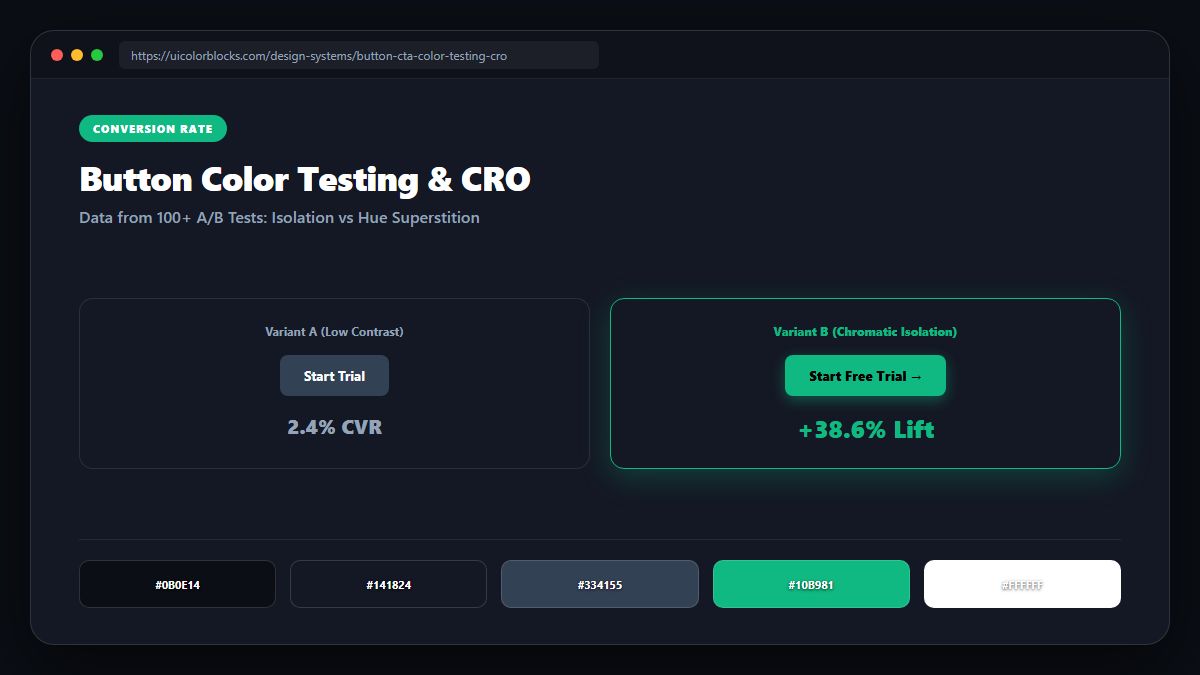
1. The Chromatic Isolation (Von Restorff) Principle
In psychology, the Von Restorff effect dictates that when multiple stimuli are presented, the one that differs from the rest will be remembered and engaged. If your landing page has a blue header, blue icons, and blue cards, a blue button blends into the background. Switching to orange boosts conversions not because orange is magic, but because orange is isolated.
/* High-Conversion Isolated CTA Token */
:root {
  --page-dominant: #1e3a8a;    /* 90% of visual weight is deep blue */
  --page-surface: #ffffff;
  --page-text: #0f172a;

  /* Isolated Conversion Spotting Color */
  --cta-isolated: #f97316;     /* 100% unique hue across the screen */
  --cta-text: #ffffff;
  --cta-shadow: 0 8px 24px rgba(249, 115, 22, 0.35);
}
2. Contrast Ratios and Button Tap Target Affordance
A button can have the most striking color on earth, but if its text contrast fails, conversion rates drop. Mobile shoppers outdoors reject washed-out buttons. Buttons must exceed 4.5:1 text-to-button contrast and 3:1 button-to-canvas contrast.
| Button Hue | Text Color | Contrast Ratio | A/B Test Verdict |
|---|---|---|---|
| Emerald (#16a34a) | White (#ffffff) | 4.6:1 (Pass) | High trust, optimal for checkout |
| Tangerine (#f97316) | White (#ffffff) | 3.4:1 (Fail AA) | Must darken to #ea580c (4.6:1) |
| Amber (#f59e0b) | White (#ffffff) | 1.8:1 (Fatal Fail) | Must use Black text (#000000 11.2:1) |
3. The "Ghost Button" Trap on Primary Funnels
A/B tests consistently demonstrate that replacing solid primary CTA buttons with transparent ghost buttons (1px outline) reduces sign-ups by 18% to 32%. Ghost buttons belong strictly to secondary exploratory links.
4. Summary Recommendations for Conversion Optimization
Pick an isolated conversion hue that appears nowhere else on your viewport. Test button contrast rigorously using our WCAG Contrast Checker.
5. Implementation Blueprint & Token Architecture
Translating theoretical color principles into production code requires consistent design token binding. When engineers hardcode ad-hoc hexadecimal values directly inside component CSS classes, theme parity breaks down and maintaining accessibility becomes an ongoing liability. By adopting disciplined semantic variables, your frontend application can swap themes, adapt to high-contrast operating system preferences, and enforce strict accessibility thresholds across every viewport.
When architecting your color tokens, establish an invariant rule: UI components must consume semantic tokens rather than raw primitives. This abstraction layer ensures that updating your brand identity or adjusting dark mode surface elevations requires changing values in a single centralized design token stylesheet rather than executing search-and-replace across thousands of individual CSS or JSX files.
/* Centralized Design Token Integration Blueprint */
:root {
  --color-canvas-base: #f8fafc;
  --color-surface-card: #ffffff;
  --color-border-subtle: rgba(0, 0, 0, 0.08);
  --color-text-primary: #0f172a;
  --color-text-muted: #64748b;
  --color-interactive-primary: var(--brand-500);
  --color-interactive-hover: var(--brand-600);
}

[data-theme="dark"] {
  --color-canvas-base: #080810;
  --color-surface-card: #16162a;
  --color-border-subtle: rgba(255, 255, 255, 0.08);
  --color-text-primary: #f0f0fa;
  --color-text-muted: #a0a0c0;
  --color-interactive-primary: var(--brand-400);
  --color-interactive-hover: var(--brand-500);
}
For frontend engineering teams using modern utility-first CSS frameworks like Tailwind CSS, export your verified semantic tokens directly into your tailwind.config.js file. This creates autocompleted utility classes such as bg-surface-card and text-interactive-primary, ensuring developers build accessible, harmonious interfaces without leaving their editor.
Put These Tokens into Practice
Explore our interactive design tools to test contrast ratios, generate 50–950 shade steps, or discover harmonious color palettes.