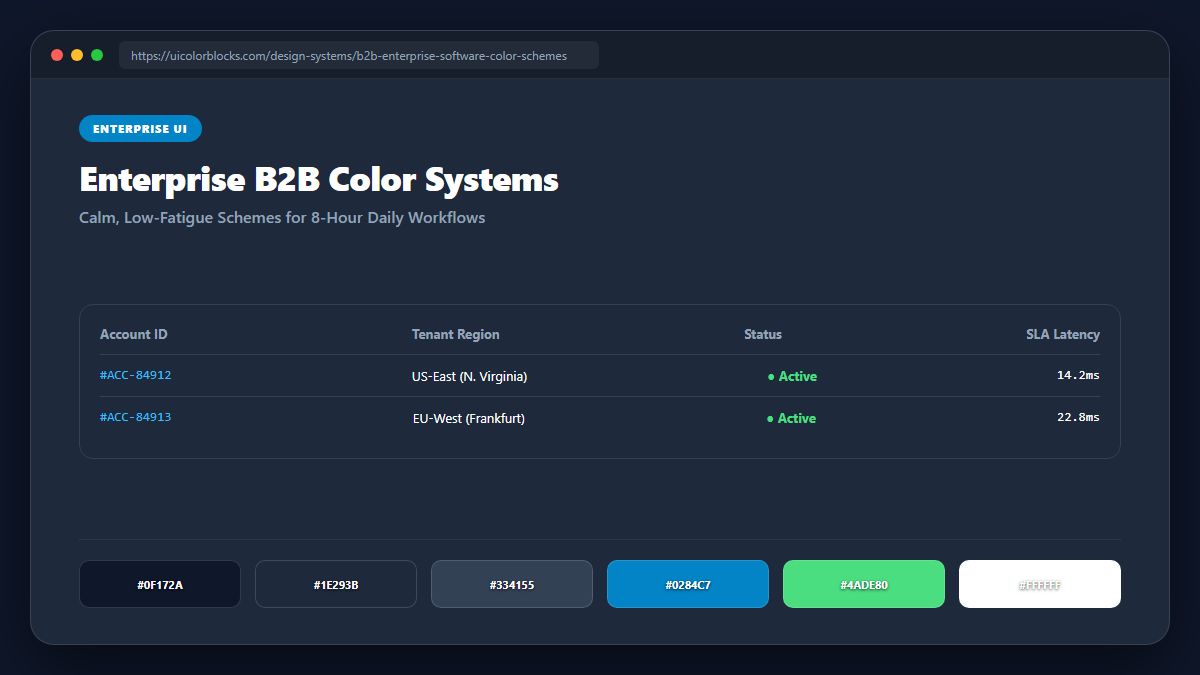
1. The "Workhorse Neutral" Principle
In enterprise tools like Salesforce, Jira, or SAP, 90% of screen real estate is occupied by tables, filters, forms, and tree navigations. Saturated brand colors must be banished from working canvases. Workhorse neutrals (Cool Slate or Zinc) preserve focus and prevent eye fatigue.
/* Enterprise Multi-Tenant Palette Structure */
:root {
  /* Customer Brand Injected Dynamically */
  --tenant-brand: #2563eb;
  --tenant-brand-light: rgba(37, 99, 235, 0.08);

  /* System Controlled Working Slates */
  --ent-canvas: #f8fafc;
  --ent-table-row: #ffffff;
  --ent-table-alt: #f1f5f9;
  --ent-border: #cbd5e1;
  --ent-text-head: #0f172a;
  --ent-text-body: #334155;
}
2. Multi-Tenant Theme Architecture Without CSS Breakage
When enterprise platforms allow clients to inject their own corporate logo and brand color, unconstrained user input frequently destroys UI contrast. An enterprise architecture clamps customer colors into verified luminance ranges, automatically deriving safe light tints and dark text variants.
| Component Target | Enterprise Rule | Accessibility Guardrail |
|---|---|---|
| Data Table Alternating Rows | #ffffff / #f8fafc | Subtle 2% contrast step for row scanning |
| Selected Table Row | var(--tenant-brand-light) | Must preserve black text readability (≥ 7:1) |
| Column Header Sorting | Bold Charcoal (#0f172a) | Never color column titles in light tints |
3. Data Density and Zebra Striping Contrast
In tables displaying 50+ rows of financial records, zebra striping reduces scanning errors. The background variation between alternating rows must be subtle (1.5% to 3% lightness change)—anything harsher creates zebra banding artifacts.
4. Summary Best Practices for Enterprise UI Systems
Never let client branding override semantic alert states. Keep table borders crisp and subtle, and generate multi-tenant token scales using our Tailwind Shades tool.
5. Implementation Blueprint & Token Architecture
Translating theoretical color principles into production code requires consistent design token binding. When engineers hardcode ad-hoc hexadecimal values directly inside component CSS classes, theme parity breaks down and maintaining accessibility becomes an ongoing liability. By adopting disciplined semantic variables, your frontend application can swap themes, adapt to high-contrast operating system preferences, and enforce strict accessibility thresholds across every viewport.
When architecting your color tokens, establish an invariant rule: UI components must consume semantic tokens rather than raw primitives. This abstraction layer ensures that updating your brand identity or adjusting dark mode surface elevations requires changing values in a single centralized design token stylesheet rather than executing search-and-replace across thousands of individual CSS or JSX files.
/* Centralized Design Token Integration Blueprint */
:root {
  --color-canvas-base: #f8fafc;
  --color-surface-card: #ffffff;
  --color-border-subtle: rgba(0, 0, 0, 0.08);
  --color-text-primary: #0f172a;
  --color-text-muted: #64748b;
  --color-interactive-primary: var(--brand-500);
  --color-interactive-hover: var(--brand-600);
}

[data-theme="dark"] {
  --color-canvas-base: #080810;
  --color-surface-card: #16162a;
  --color-border-subtle: rgba(255, 255, 255, 0.08);
  --color-text-primary: #f0f0fa;
  --color-text-muted: #a0a0c0;
  --color-interactive-primary: var(--brand-400);
  --color-interactive-hover: var(--brand-500);
}
For frontend engineering teams using modern utility-first CSS frameworks like Tailwind CSS, export your verified semantic tokens directly into your tailwind.config.js file. This creates autocompleted utility classes such as bg-surface-card and text-interactive-primary, ensuring developers build accessible, harmonious interfaces without leaving their editor.
Put These Tokens into Practice
Explore our interactive design tools to test contrast ratios, generate 50–950 shade steps, or discover harmonious color palettes.